

Plan Availability & Limits
Teams are available on all paid Geekflare API plans. The maximum number of team members depends on your active subscription:- Free Plan: 1 seat, personal use only
- Starter Plan: Up to 3 team members
- Growth Plan: Up to 5 team members
- Business Plan: Up to 25 team members
Roles & Permissions
Geekflare API utilize a simple role-based access control (RBAC) system with two roles: Owner and Member.| Permission | Owner | Member |
|---|---|---|
| View API Keys | ✅ | ✅ |
| View API Audit Logs | ✅ | ✅ |
| Switch Workspaces | ✅ | ✅ |
| Invite / Remove Members | ✅ | ❌ |
| Rename Workspace | ✅ | ❌ |
| View / Change Billing | ✅ | ❌ |
Managing Your Workspace
To manage your team, log in to the Geekflare API Dashboard and click on the Members tab in the left sidebar.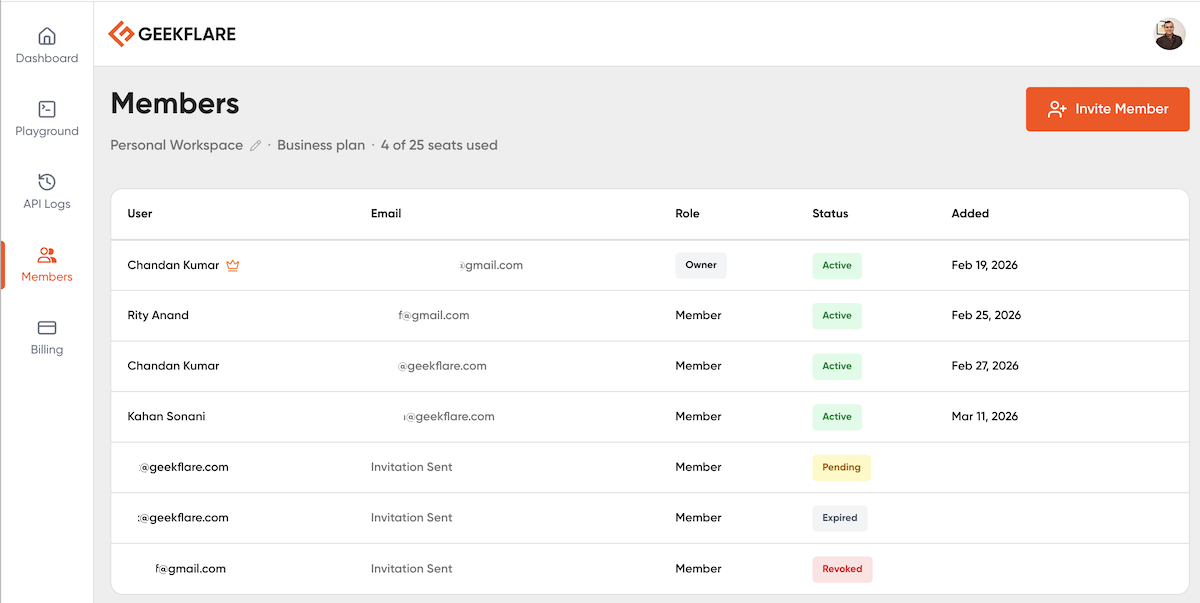
Renaming Your Workspace
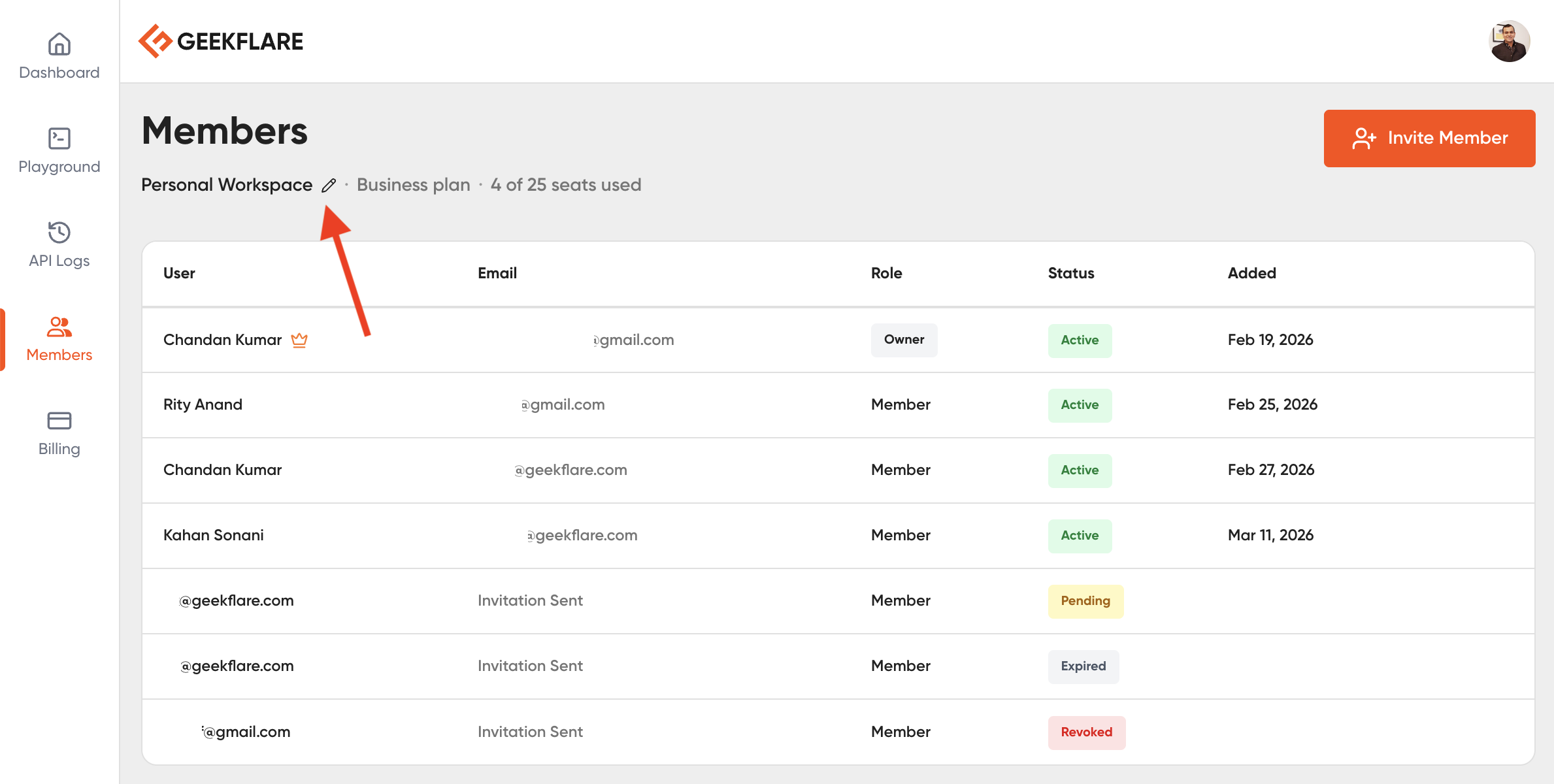
By default, your team is named Personal Workspace. To make it easier for your team to identify the account (e.g., “Acme Corp Dev”):- Go to the Members tab.
- Hover over the workspace name at the top of the page.
- Click the Edit (Pencil) icon next to the name.
- Enter your new team name and save.
Inviting Team Members
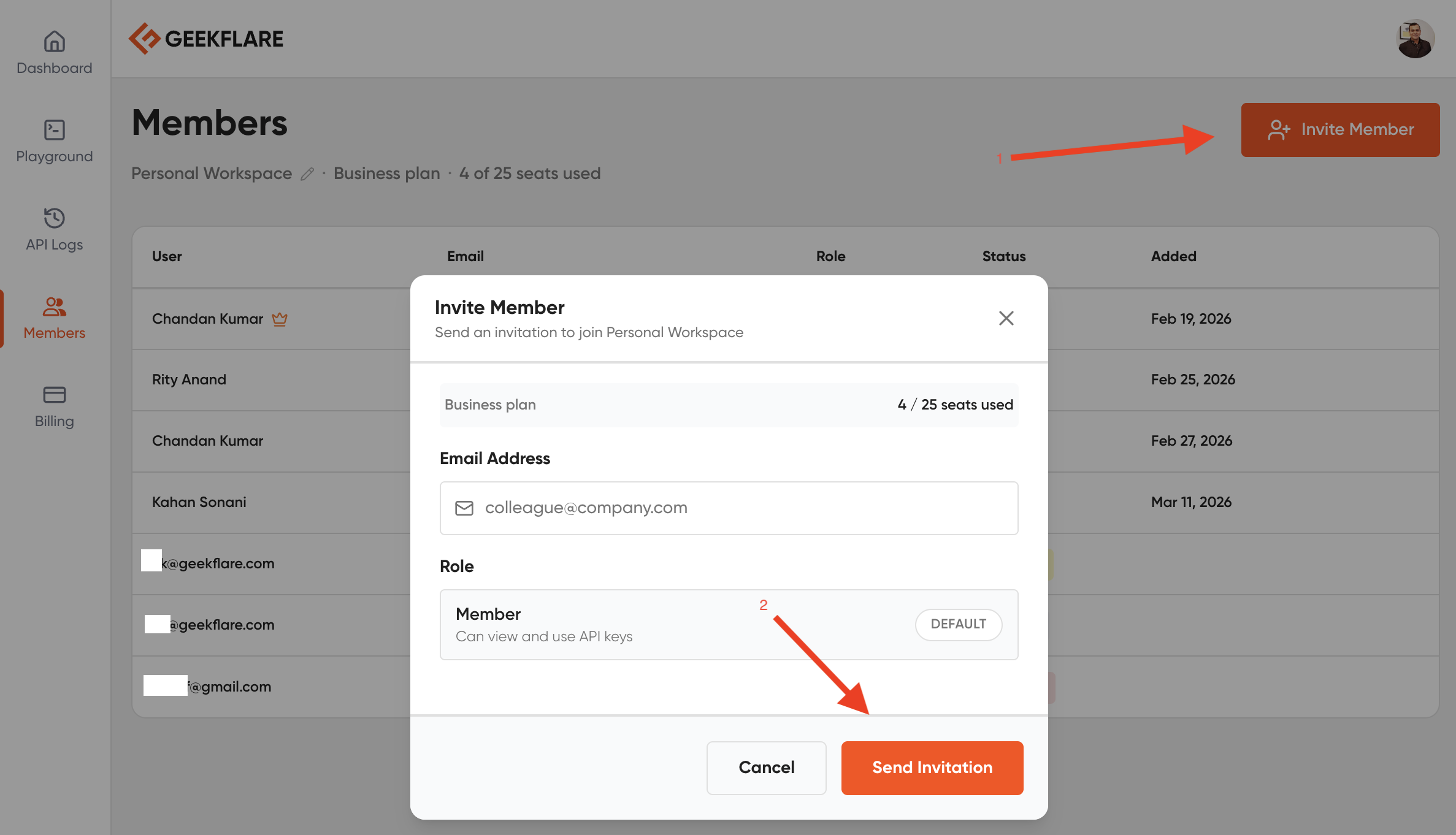
Note: Only Workspace Owners can invite new members.- Navigate to the Members tab.
- Click the Invite Member button in the top right.
- Enter the colleague’s email address and click Send Invitation.
The Invitation Process
Once invited, the user will receive an email with a link to join your workspace.If the user does not already have a Geekflare account, they will be prompted to create one for free before joining.
Switching Between Workspaces
If you are a member of multiple teams, you can switch between them using the Workspace Switcher located in the top header of the dashboard. Geekflare API dashboards are strictly context-aware. When you switch to a different workspace, the entire dashboard updates to reflect that specific team. This means:- API Keys: You will only see the API keys for the currently active workspace.
- API Logs: The audit logs will only show requests made by the active workspace’s API keys.
- Usage Details: The credit consumption and limits shown apply only to the active workspace.