What is Search API?
Search API feature in Geekflare Connect empowers AI models to fetch fresh, real-time information directly from the web when generating responses. This means your AI can provide answers based on the most current data available, rather than being limited to its static training knowledge. Instead of relying solely on the model’s internal knowledge base, the Search API enables the system to send a query to an external search service. The retrieved information is then used to enhance the final answer provided by the Large Language Model (LLM).Why Search API is Required
LLMs are powerful, but their responses are limited by their training data’s cutoff date. This means they cannot automatically access or browse the live internet. Even when you connect your own API keys from providers like OpenAI, Anthropic, or Google via our BYOK model, the underlying AI models themselves do not gain internet access. Their knowledge base is static, stopping at whatever date they were last trained on. This creates gaps when you need information that is recent like:News & Events
- Breaking stories
- Policy updates
- Weather alerts
- Election results
- Major company announcements
Business & Market Research
- Latest financial filings
- Quarterly earnings
- New product launches
- Competitor movements
- Changes in pricing or plans
Travel & Logistics
- Flight delays
- Airport rules
- Visa requirements
- Local transportation changes
- Hotel availability
Regulations & Compliance
- Tax rule updates
- New compliance guidelines
- Security advisories
- Government notifications
Consumer Information
- Updated reviews
- Product recalls
- Store timings
- Restaurant menus
- Local service availability
Education & Careers
- University admission dates
- Revised exam patterns
- Recruitment announcements
- Application deadlines
Health & Public Safety
- Disease outbreak updates
- Changes in medical guidelines
- Local hospital availability
- Drug recall notices
How to add search API Keys?
You can add search API keys by going to Settings >> API Keys >> Add New Key.
How to get search API Keys?
Geekflare Connect supports multiple search APIs like Parallel, Exa and Firecrawl.1. Parallel Search
A general-purpose search provider ideal for broad, multipage results. It returns ranked web pages, summaries, and snippets. It is suitable for research, comparisons, and fact-checking.- To get an API key, visit the Parallel Platform, login or sign up. Then click ‘Settings’.
- Here, click the API keys tab → Create New Key
 Give the key a name, and then click Create New API Key,
 Your new search API key is created. Click the view icon to copy your API Key and paste it into Geekflare Connect’s API key field.

2. Exa Search
A developer-friendly search engine known for structured outputs. It tends to return cleaner metadata and more precise links, which helps when you want high-quality references or programmatic analysis.- Visit the Exa Search API website and sign up.
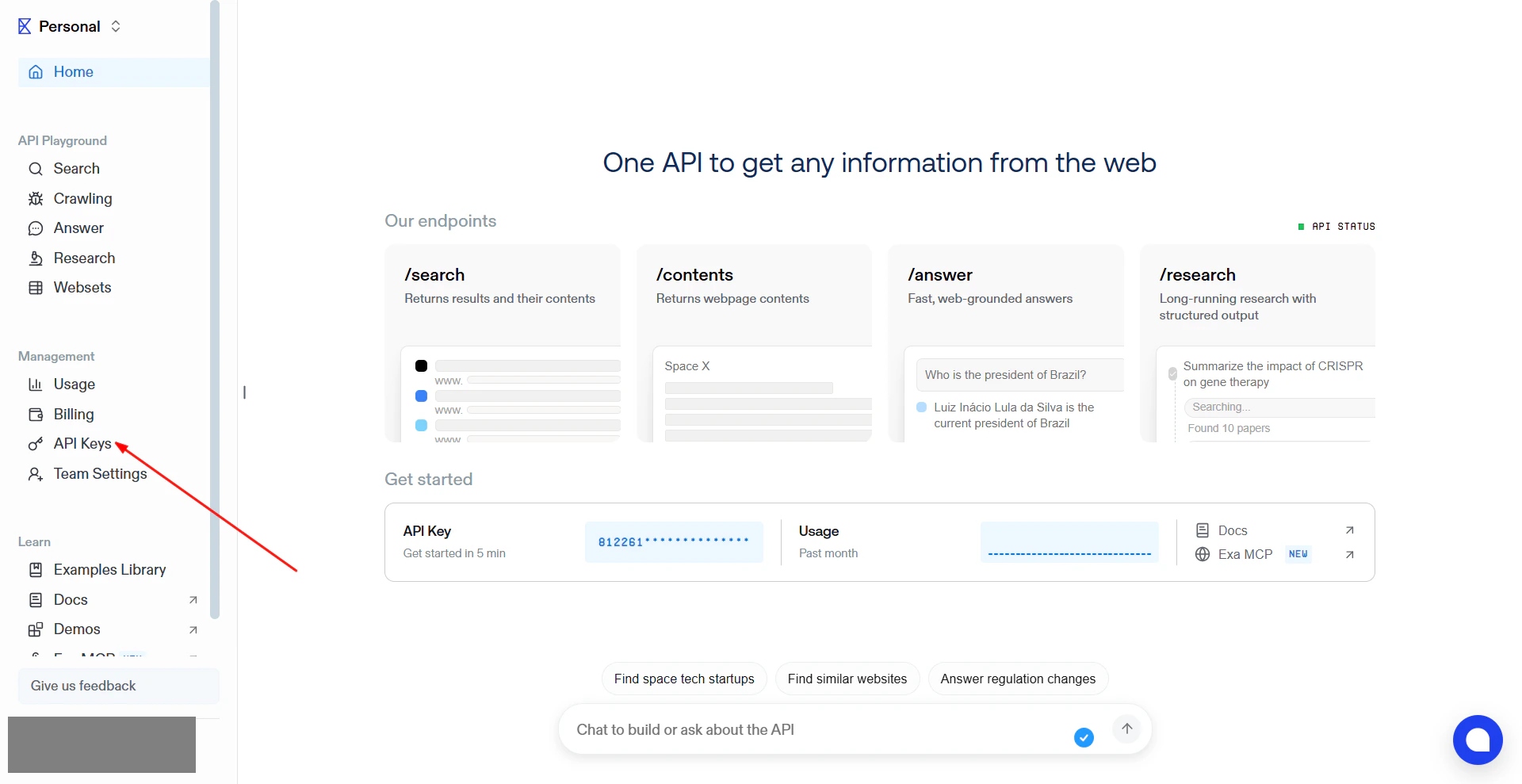
- Click ‘API Keys’ from the left side menu.
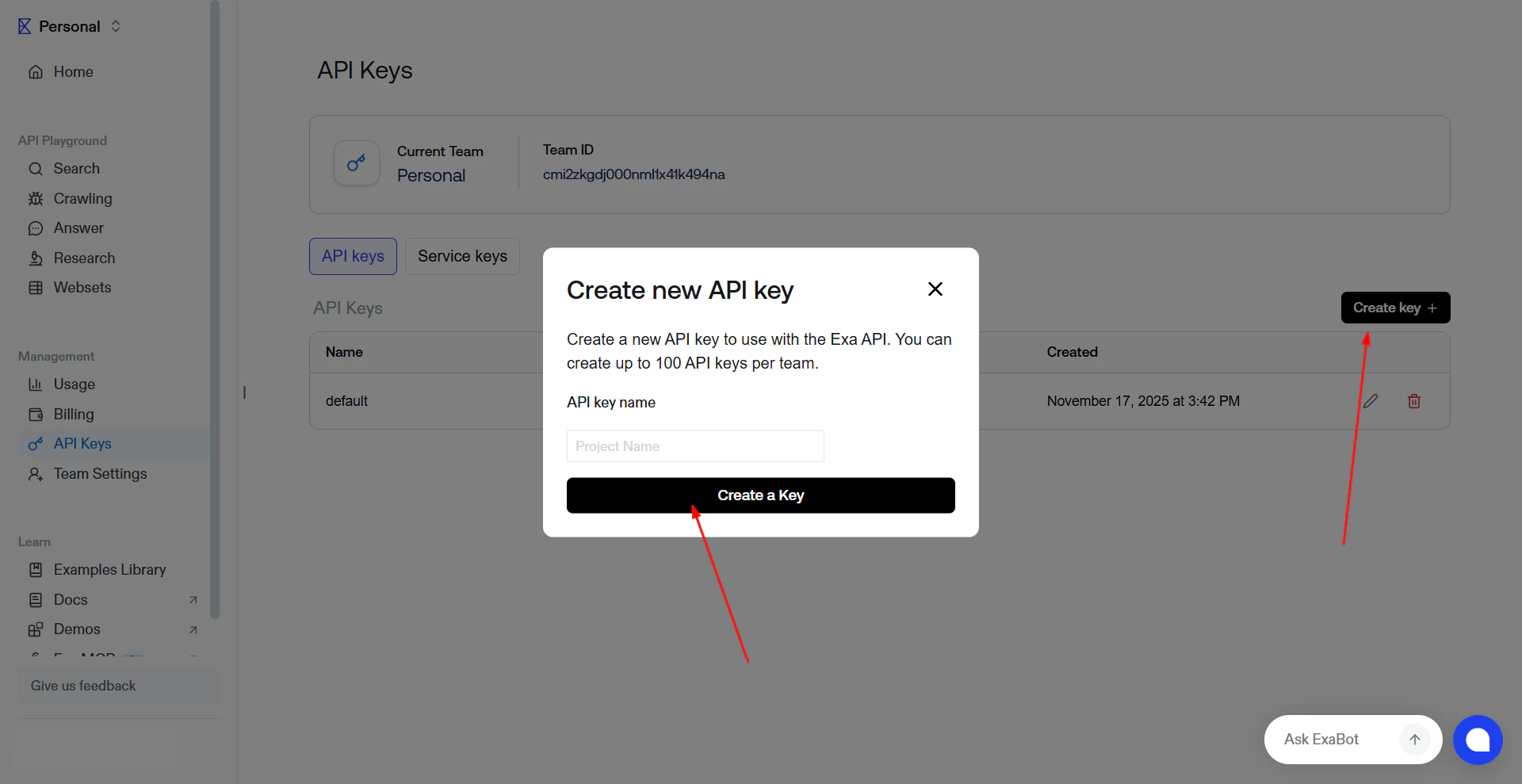
- Click the ‘Create Key’, give your key a name and then click ‘Create Key’.
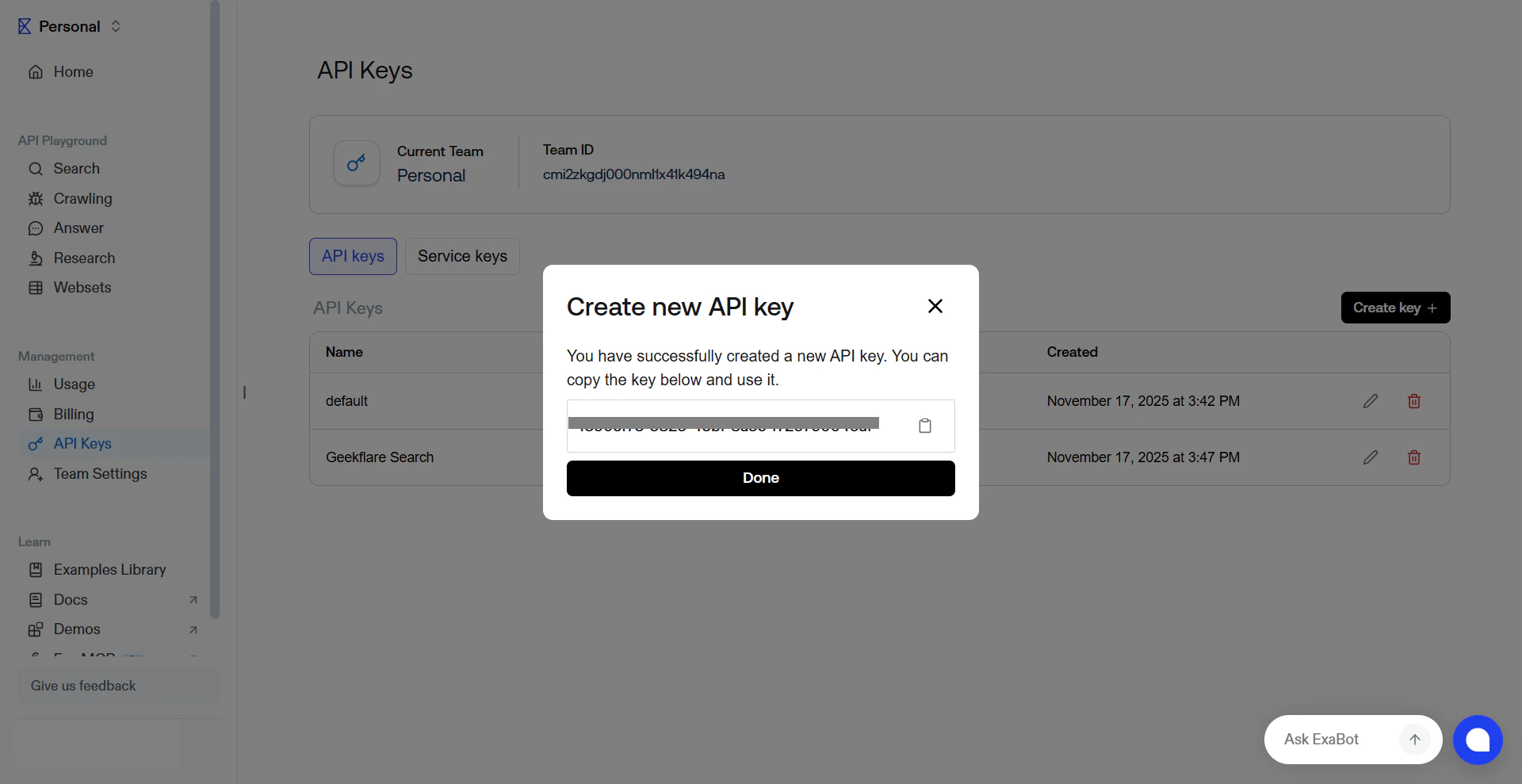
- Your key will be displayed. Copy this key and paste it in the Geekflare API keys field.
3. Firecrawl
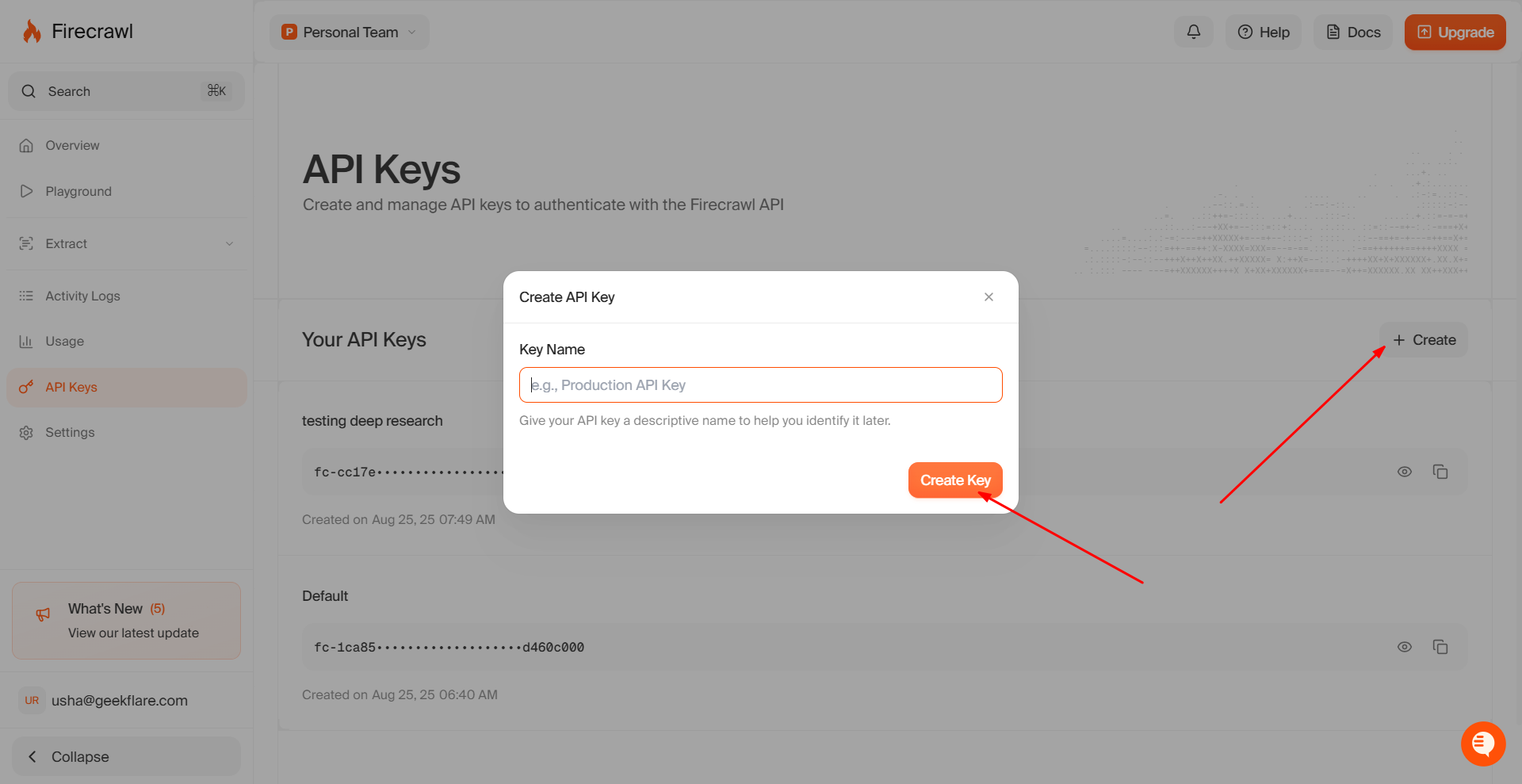
A web crawler–based API that focuses on scraping page content. It’s useful when you need deeper content extraction from websites, for research etc.- To get a Firecrawl API, go to the Firecrawl website and sign up/log in.
- Click ‘API Keys’
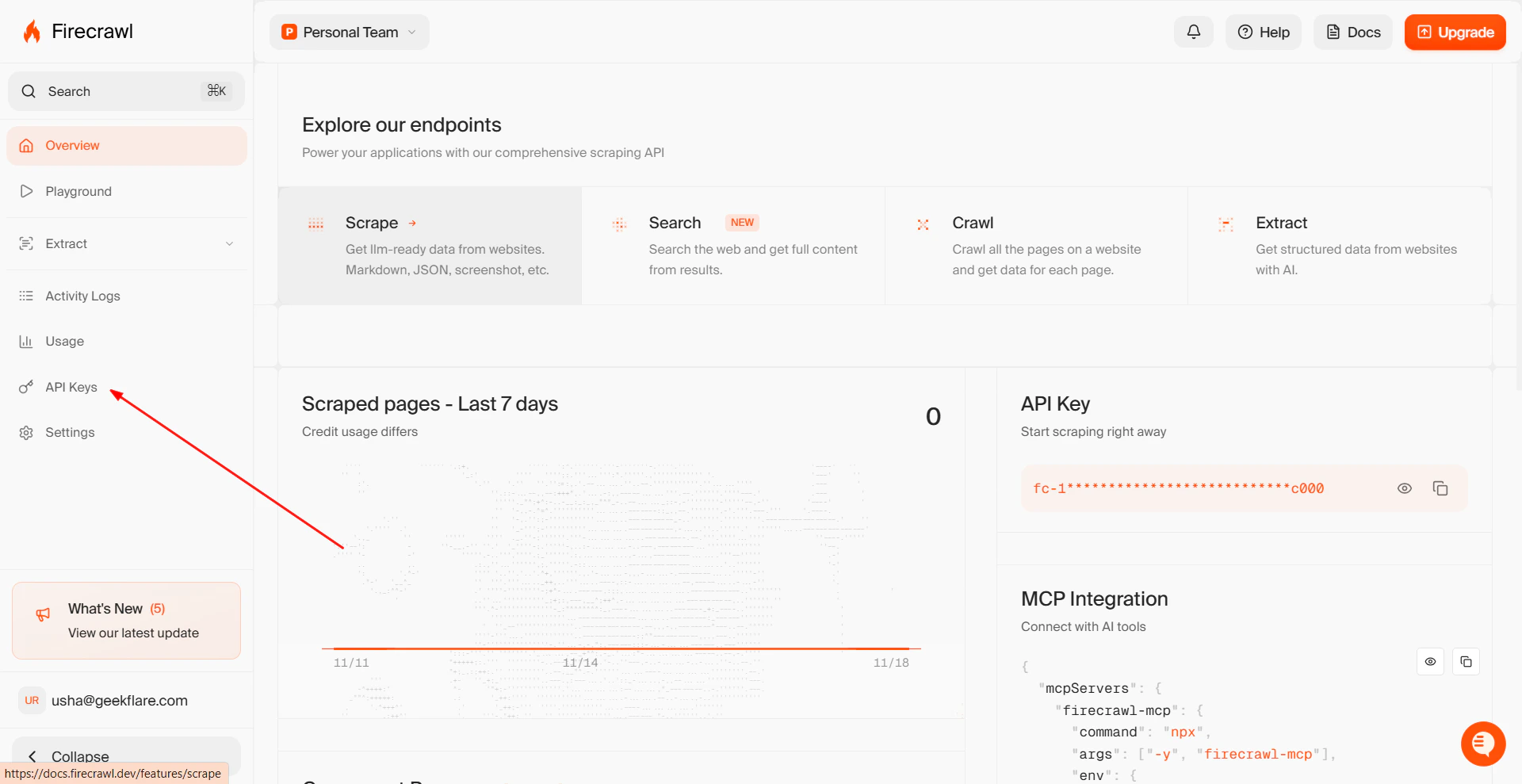
- Click ‘Create’. Then give your key a name and get your Firecrawl Search API key.