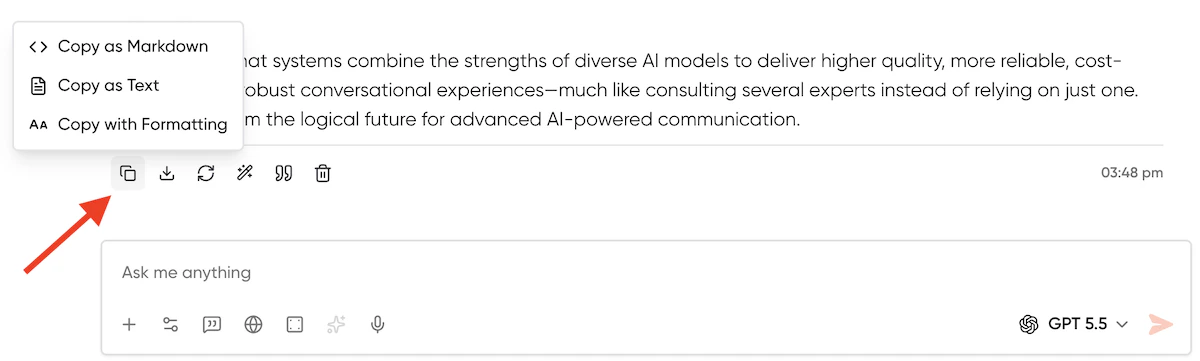
Copy Options
Every chat response includes a copy icon to save the output to your clipboard. You can choose from three formats based on your needs:- Copy as Markdown: Copies the raw markdown syntax. This is ideal for pasting into code editors, GitHub, Notion, or other markdown-supported platforms.
- Copy as Text: Copies plain text only. This strips away all rich text styling, links, and code block formatting.
- Copy with Formatting: Copies the rich text exactly as it appears in the chat. This preserves bolding, lists, and links, making it perfect for pasting directly into emails or Google Docs.
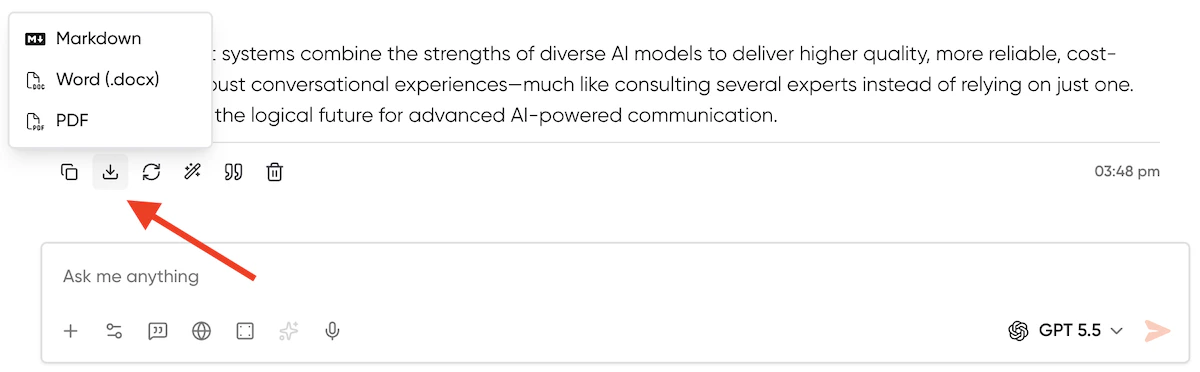
Export Options
For detailed responses, Geekflare Chat enables direct file exports. The export menu appears conditionally only when an AI response exceeds 200 words. You can download the response in the following formats:- PDF (.pdf): Best for saving finalized documents to share with stakeholders.
- Word Document (.docx): Best for continued editing, formatting, and team collaboration in Microsoft Word or Google Docs.
- Markdown (.md): Best for saving technical documentation, code-heavy responses, or blog posts directly to your local file system.