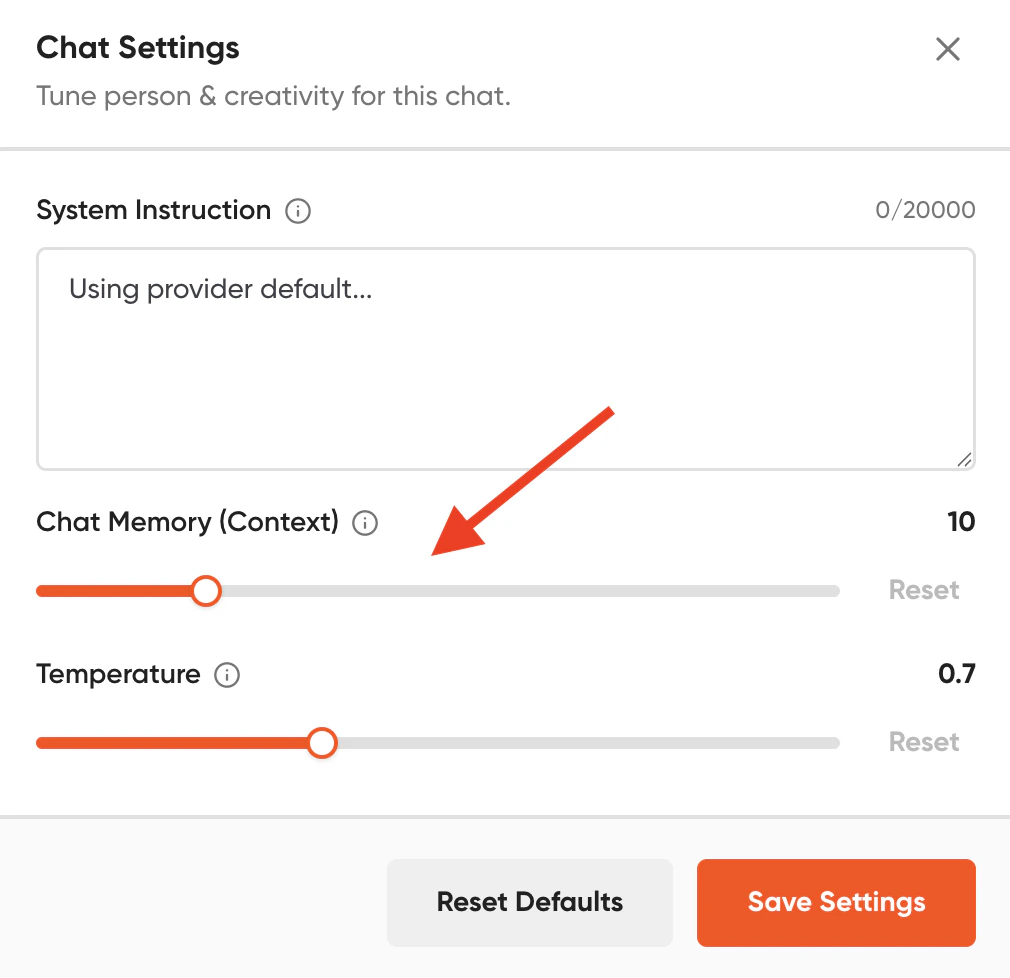
When you interact with an AI model, it does not possess memory like a human does. To help the AI follow your conversation, Geekflare Chat forwards your recent chat history (context) to the LLM alongside your new prompt. How much the AI remembers depends entirely on two factors: the number of previous messages configured in your settings and the maximum context window supported by the LLM you are using.Documentation Index
Fetch the complete documentation index at: https://docs.geekflare.com/llms.txt
Use this file to discover all available pages before exploring further.
Default Memory Behavior
To provide a good experience while optimizing your costs, Geekflare Chat sends the previous 10 messages to the AI by default. This gives the model enough background to understand ongoing topics without consuming excessive credits.Customizing Your Chat Memory
You have full control over how much history is sent to the AI. By going to Chat Settings, you can adjust the context limit from 0 to up to 50 previous messages.